12 Best Dual Band Routers for 2026 (Fast & Reliable Wi-Fi)
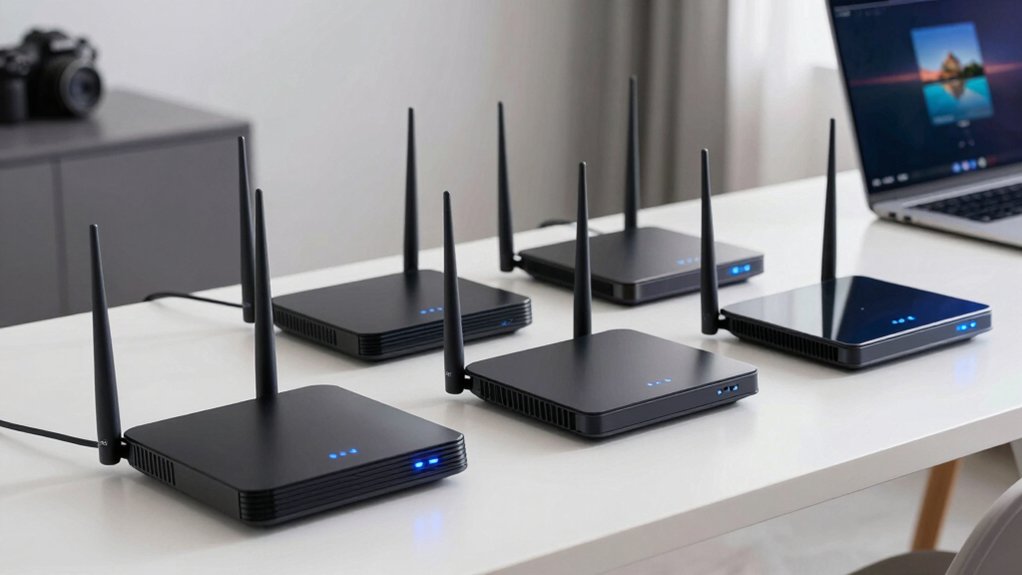
You’ll get fast, reliable Wi-Fi in 2026 with top dual-band routers like the TP-Link AX1800, AX3000, and AX5400 models. All deliver strong speeds and coverage.
Wi-Fi 6 and Wi-Fi 7 picks such as the NETGEAR Nighthawk RS90 and TP-Link Archer BE260 offer multi-gig performance, EasyMesh, and advanced security.
With high-gain antennas, USB 3.0, and 2.5G ports, these routers handle streaming, gaming, and dozens of devices effortlessly. Find the best fit for your home’s needs and discover even more tailored options.
| TP-Link AX1800 WiFi 6 Router (Archer AX21) |  | Best Value Wi-Fi 6 | Wi-Fi Standard: Wi-Fi 6 (802.11ax) | Total Speed: 1.8 Gbps | Bands: Dual-Band | VIEW LATEST PRICE | Read Our Analysis |
| TP-Link AC1200 WiFi Router (Archer A54) |  | Budget-Friendly Pick | Wi-Fi Standard: Wi-Fi 5 (802.11ac) | Total Speed: 1200 Mbps | Bands: Dual-Band | VIEW LATEST PRICE | Read Our Analysis |
| TP-Link AC1200 WiFi Router (Archer A6) |  | Best for Range | Wi-Fi Standard: Wi-Fi 5 (802.11ac) | Total Speed: 1200 Mbps | Bands: Dual-Band | VIEW LATEST PRICE | Read Our Analysis |
| NETGEAR Nighthawk WiFi 7 Router (RS90) |  | Best Overall | Wi-Fi Standard: Wi-Fi 7 | Total Speed: 3.6 Gbps | Bands: Dual-Band | VIEW LATEST PRICE | Read Our Analysis |
| TP-Link AX3000 Wi-Fi 6 Router |  | Best for Gamers | Wi-Fi Standard: Wi-Fi 6 (802.11ax) | Total Speed: 2976 Mbps | Bands: Dual-Band | VIEW LATEST PRICE | Read Our Analysis |
| TP-Link Archer BE230 Wi-Fi 7 Router |  | Best Wi-Fi 7 Value | Wi-Fi Standard: Wi-Fi 7 | Total Speed: 3.6 Gbps | Bands: Dual-Band | VIEW LATEST PRICE | Read Our Analysis |
| TP-Link Archer BE400 Wi-Fi 7 Router |  | Most Powerful Wi-Fi 7 | Wi-Fi Standard: Wi-Fi 7 | Total Speed: 6452 Mbps | Bands: Dual-Band | VIEW LATEST PRICE | Read Our Analysis |
| TP-Link AC1900 Smart WiFi Router (Archer A8) |  | Best for Small Homes | Wi-Fi Standard: Wi-Fi 5 (802.11ac) | Total Speed: 1900 Mbps | Bands: Dual-Band | VIEW LATEST PRICE | Read Our Analysis |
| NETGEAR Nighthawk WiFi 6 Router (RAX36) |  | Most Secure | Wi-Fi Standard: Wi-Fi 6 (802.11ax) | Total Speed: 3 Gbps | Bands: Dual-Band | VIEW LATEST PRICE | Read Our Analysis |
| TP-Link AX5400 WiFi 6 Router |  | Best for Large Homes | Wi-Fi Standard: Wi-Fi 6 (802.11ax) | Total Speed: 5400 Mbps | Bands: Dual-Band | VIEW LATEST PRICE | Read Our Analysis |
| TP-Link Archer BE260 WiFi 7 Router |  | Top Wi-Fi 7 Performance | Wi-Fi Standard: Wi-Fi 7 | Total Speed: 5012 Mbps | Bands: Dual-Band | VIEW LATEST PRICE | Read Our Analysis |
| NETGEAR WiFi 6 Router (R6700AX) |  | Best for Medium Homes | Wi-Fi Standard: Wi-Fi 6 (802.11ax) | Total Speed: 1.8 Gbps | Bands: Dual-Band | VIEW LATEST PRICE | Read Our Analysis |
More Details on Our Top Picks
TP-Link AX1800 WiFi 6 Router (Archer AX21)
Looking for a router that handles multiple devices without slowing down? The TP-Link AX1800 WiFi 6 Router (Archer AX21) delivers up to 1.8 Gbps with Wi-Fi 6 efficiency, so you stream, game, and download smoothly. Its 4 high-gain antennas and Beamforming boost coverage. OFDMA reduces congestion by serving multiple devices at once.
You’ll enjoy faster speeds on both bands: 1200 Mbps on 5 GHz, 574 Mbps on 2.4 GHz. It works with any modem and pairs with Alexa. Plus, TP-Link’s 2-year warranty, 24/7 support, and free firmware updates keep your network secure and future-ready; this applies no matter your ISP.
- Wi-Fi Standard:Wi-Fi 6 (802.11ax)
- Total Speed:1.8 Gbps
- Bands:Dual-Band
- Antennas:4 external
- ISP Compatibility:All major ISPs
- Security Tech:WPA3, OFDMA, Tether app
- Additional Feature:2-year warranty included
- Additional Feature:Certified for Humans
- Additional Feature:Free expert support
TP-Link AC1200 WiFi Router (Archer A54)
If you need reliable, everyday Wi-Fi for streaming and browsing without breaking the bank, the TP-Link AC1200 WiFi Router (Archer A54) is a solid pick. You get dual-band speeds up to 1200 Mbps, with four external antennas ensuring strong coverage.
You’ll appreciate the four Fast Ethernet ports and WPA3 security for safer connections. You can easily expand your network using EasyMesh with compatible devices. The Tether app lets you manage parental controls, guest access, and IPv6 settings effortlessly.
It works with any major ISP and supports access point mode. At just 1.45 pounds and compact in size, it’s simple to place anywhere. With strong reviews and mesh scalability, you’re covered now and ready for more later.
- Wi-Fi Standard:Wi-Fi 5 (802.11ac)
- Total Speed:1200 Mbps
- Bands:Dual-Band
- Antennas:4 external
- ISP Compatibility:All major ISPs
- Security Tech:WPA3, IGMP, Parental Controls
- Additional Feature:EasyMesh compatible
- Additional Feature:WPA3 security protocol
- Additional Feature:AP mode supported
TP-Link AC1200 WiFi Router (Archer A6)
Need strong, reliable Wi-Fi coverage for your entire home without breaking the bank? The TP-Link AC1200 WiFi Router (Archer A6) delivers with dual-band speeds up to 1.2 Gbps and four external antennas for long-range coverage. You’ll get stable 5GHz connections up to 867 Mbps; this is ideal for streaming and gaming.
Beamforming and MU-MIMO boost signal strength and handle multiple devices smoothly. Use it in standard router or access point mode, or pair it with a OneMesh extender for seamless whole-home WiFi. The Tether app makes setup a breeze on Android or iOS.
With Gigabit ports, WPA3 security, and high user ratings, you’re covered. It’s a smart, affordable upgrade that just works.
- Wi-Fi Standard:Wi-Fi 5 (802.11ac)
- Total Speed:1200 Mbps
- Bands:Dual-Band
- Antennas:4 external
- ISP Compatibility:All major ISPs
- Security Tech:WPA3, Beamforming, Tether app
- Additional Feature:OneMesh technology
- Additional Feature:MU-MIMO support
- Additional Feature:Full Gigabit ports
NETGEAR Nighthawk WiFi 7 Router (RS90)
Who wouldn’t want blazing-fast Wi-Fi 7 speeds in a sleek dual-band router built for heavy-duty streaming, gaming, and video calls? You’ll get up to 3.6 Gbps; this is 1.2x faster than WiFi 6 on the NETGEAR Nighthawk RS90. It covers 2,000 sq. ft. and handles 50 devices with ease.
The 2.5 Gig port delivers multi-gig speeds when paired with fiber or cable internet. You just need a separate modem. NETGEAR Armor guards against hackers and malware, with a 30-day trial included.
Set it up fast and manage your network easily using the Nighthawk app. This router’s built for tomorrow’s bandwidth demands, today.
- Wi-Fi Standard:Wi-Fi 7
- Total Speed:3.6 Gbps
- Bands:Dual-Band
- Antennas:Not specified
- ISP Compatibility:All ISPs
- Security Tech:NETGEAR Armor, WPA3
- Additional Feature:2.5 Gig internet port
- Additional Feature:NETGEAR Armor security
- Additional Feature:30-day trial included
TP-Link AX3000 Wi-Fi 6 Router
Looking for a router that handles 4K streaming, competitive gaming, and smart home devices without breaking a sweat? The TP-Link AX3000 Wi-Fi 6 Router (Archer AX55) delivers 2402 Mbps on 5 GHz and 574 Mbps on 2.4 GHz; you get fast, stable connections. You’ll benefit from OFDMA, beamforming, and Target Wake Time for smoother performance and longer battery life.
Its USB 3.0 port, EasyMesh compatibility, and Alexa support add flexibility. You get free HomeShield security with parental controls, QoS, and network scans. It works with major ISPs and maintains speed thanks to expanded cooling.
Backed by a TP-Link warranty, it’s a reliable, high-value pick for modern homes.
- Wi-Fi Standard:Wi-Fi 6 (802.11ax)
- Total Speed:2976 Mbps
- Bands:Dual-Band
- Antennas:4 external
- ISP Compatibility:All major ISPs
- Security Tech:HomeShield, WPA3, VPN support
- Additional Feature:USB 3.0 sharing
- Additional Feature:Alexa voice control
- Additional Feature:Target Wake Time
TP-Link Archer BE230 Wi-Fi 7 Router
Wondering how to future-proof your home network with blazing-fast speeds and rock-solid reliability? The TP-Link Archer BE230 delivers with Wi-Fi 7, hitting up to 3.6 Gbps using MLO and 4K-QAM. You’ll get seamless coverage thanks to four high-gain antennas and beamforming. The quad-core 2.0 GHz processor handles heavy traffic without lag.
With dual 2.5G ports, USB 3.0, and EasyMesh support, you can build a powerful, scalable network. Manage devices remotely via the Tether app, boost IoT security with HomeShield, and enjoy Alexa compatibility. It’s backward-compatible, supports VPN, and comes with strong warranty and U.S. support.
- Wi-Fi Standard:Wi-Fi 7
- Total Speed:3.6 Gbps
- Bands:Dual-Band
- Antennas:4 external
- ISP Compatibility:Any ISP
- Security Tech:HomeShield, WPA3, VPN
- Additional Feature:2.5G WAN/LAN port
- Additional Feature:MLO technology
- Additional Feature:Dual USB ports
TP-Link Archer BE400 Wi-Fi 7 Router
Need blazing-fast speeds and future-proof performance for a crowded smart home? The TP-Link Archer BE400 delivers Wi-Fi 7 power with Multi-Link Operation, 4K-QAM, and up to 6,452 Mbps across 6 streams. Its quad-core CPU handles 90+ devices effortlessly. It covers 2,400 sq ft with six antennas and Beamforming.
You get two 2.5 Gbps ports, EasyMesh support, and VPN client/server capability. MU-MIMO and OFDMA keep connections smooth. Meanwhile, HomeShield offers parental controls, IoT security, and WPA3. Manage everything via the Tether app or web interface.
It works with Alexa, supports IPv6, and includes QoS, guest networks, and firmware updates. TP-Link backs it with free expert support and U.S.-based customer service.
- Wi-Fi Standard:Wi-Fi 7
- Total Speed:6452 Mbps
- Bands:Dual-Band
- Antennas:6 external
- ISP Compatibility:Any ISP
- Security Tech:HomeShield, WPA3, Armor
- Additional Feature:Covers 90 devices
- Additional Feature:6-stream Wi-Fi 7
- Additional Feature:Quad-core CPU
TP-Link AC1900 Smart WiFi Router (Archer A8)
Who needs seamless Wi-Fi across a bustling household or a compact office? The TP-Link AC1900 (Archer A8) has you covered with dual-band speeds up to 1900 Mbps: 600 Mbps on 2.4GHz and 1300 Mbps on 5GHz. You’ll love its MU-MIMO and Wave 2 tech, letting multiple devices stream smoothly.
Beamforming boosts range, while Smart Connect picks the best band for your gadgets. With four Gigabit LAN ports and full ISP compatibility, setup’s a breeze. It’s OneMesh-ready, so you can pair it with extenders.
There is no USB port, but you gain reliability and strong coverage. Lightweight and highly rated, it’s a proven performer; it offers great value since 2020.
- Wi-Fi Standard:Wi-Fi 5 (802.11ac)
- Total Speed:1900 Mbps
- Bands:Dual-Band
- Antennas:4 external
- ISP Compatibility:All ISPs
- Security Tech:OneMesh, Beamforming, Guest WiFi
- Additional Feature:Smart Connect tech
- Additional Feature:Beamforming supported
- Additional Feature:OneMesh compatible
NETGEAR Nighthawk WiFi 6 Router (RAX36)
How does the NETGEAR Nighthawk WiFi 6 Router (RAX36) stand out for users needing fast, reliable coverage across a medium-sized home? You get Wi-Fi 6 speed up to 3 Gbps, covering 2,000 sq. ft. and handling 25 devices with ease. Its 1.7 GHz quad-core processor keeps streaming, gaming, and video calls smooth.
With 4 Gigabit Ethernet ports and USB 3.0, you’ve got wired and file-sharing options covered. It works with any ISP up to 1 Gbps; however, you’ll need a separate modem. NETGEAR Armor gives 30-day security protection, and the sleek black design fits anywhere—making it a solid, future-ready upgrade for your network.
- Wi-Fi Standard:Wi-Fi 6 (802.11ax)
- Total Speed:3 Gbps
- Bands:Dual-Band
- Antennas:4 external
- ISP Compatibility:Any ISP up to 1 Gbps
- Security Tech:NETGEAR Armor, WPA3, SPI Firewall
- Additional Feature:Built-in VPN
- Additional Feature:USB 3.0 port
- Additional Feature:1.7 GHz processor
TP-Link AX5400 WiFi 6 Router
You get blazing-fast speeds up to 5400 Mbps with the TP-Link AX5400 WiFi 6 Router (Archer AX73). This makes it a top pick for households that stream 4K, game online, and connect dozens of devices without lag. Its 4T4R 5 GHz band delivers up to 4.8 Gbps; meanwhile, OFDMA and MU-MIMO keep connections smooth.
With 6 antennas, beamforming, and high-power FEM, coverage stays strong in every room. The sleek, slanted design includes improved cooling (167 cm² vents) and a USB 3.0 port for sharing files or setting up a private cloud. You’ll also get free HomeShield security, parental controls, QoS, and OneMesh support for seamless whole-home Wi-Fi.
- Wi-Fi Standard:Wi-Fi 6 (802.11ax)
- Total Speed:5400 Mbps
- Bands:Dual-Band
- Antennas:6 external
- ISP Compatibility:All major ISPs
- Security Tech:HomeShield, OneMesh, WPA3
- Additional Feature:6 high-gain antennas
- Additional Feature:4T4R structure
- Additional Feature:Enhanced venting design
TP-Link Archer BE260 WiFi 7 Router
Need blazing-fast speeds and seamless connectivity for your smart home or home office? The TP-Link Archer BE260 delivers with Wi-Fi 7’s 5Gbps performance across 2.4GHz and 5GHz bands. There is no 6GHz, but MLO, 4K-QAM, and Multi-RUs boost speed and stability. It covers 2,400 sq. ft. and handles up to 80 devices with ease.
You’ll love the 2.5G ports, USB 3.0, and easyMesh support for expanding coverage. Manage your network seamlessly via the Tether app or web interface. You can enable parental controls, QoS, and IoT security using HomeShield. It works with Alexa, Google Assistant, any ISP, and supports VPNs and WPA3; this keeps your setup future-ready, safe, and smooth.
- Wi-Fi Standard:Wi-Fi 7
- Total Speed:5012 Mbps
- Bands:Dual-Band
- Antennas:5 external
- ISP Compatibility:Any ISP
- Security Tech:HomeShield, WPA3, VPN
- Additional Feature:2,400 sq ft coverage
- Additional Feature:5 external antennas
- Additional Feature:IPv6/IPTV support
NETGEAR WiFi 6 Router (R6700AX)
The NETGEAR WiFi 6 Router (R6700AX) is a speed demon built for small to medium homes craving fast, reliable Wi-Fi without the clutter of extra gear. You’ll get AX1800 speeds up to 1.8 Gbps, covering 1,500 sq. ft. and handling 20 devices with ease. It’s perfect for streaming, gaming, and video calls, powered by a dual-core 880 MHz processor.
You plug it into your existing cable modem; no modem included. You can enjoy Wi-Fi 6 efficiency and NETGEAR Armor security. Four Gigabit ports let you hardwire computers, consoles, or streamers. Compatible with any ISP up to 1 Gbps, it’s a clean upgrade. Just check the user manual, and you’re set—all within Amazon’s return window.
- Wi-Fi Standard:Wi-Fi 6 (802.11ax)
- Total Speed:1.8 Gbps
- Bands:Dual-Band
- Antennas:4 external
- ISP Compatibility:Any ISP up to 1 Gbps
- Security Tech:NETGEAR Armor, WPA3, SPI Firewall
- Additional Feature:Dual-core processor
- Additional Feature:4 Gig Ethernet ports
- Additional Feature:Free expert help
Factors to Consider When Choosing Dual Band Routers
You want a dual band router that maximizes speed and performance while covering your whole space without dead zones. Check the bandwidth and capacity to handle all your devices. Don’t overlook security features that protect your network.
Make sure it’s compatible with your gadgets so everything runs smoothly.
Maximize Speed And Performance
Boost your home network’s speed by choosing a dual-band router that delivers strong throughput on the 5 GHz band: aim for models supporting 1.2 to 1.8 Gbps. You’ll get faster downloads, smoother streaming, and better responsiveness.
Pick routers with OFDMA and MU-MIMO to handle multiple devices without lag. These features let you stream, game, and video chat at the same time with minimal interference. Opt for 160 MHz channel widths when possible: they boost data rates on compatible devices.
Beamforming helps by focusing signals directly to your phones, laptops, and tablets. Don’t overlook internal power: a quad-core or solid dual-core processor with enough RAM keeps performance snappy under load.
Quality-of-service (QoS) settings give you control over bandwidth, ensuring critical tasks get priority. A well-built firmware ensures stability, so you stay connected without hiccups.
Ensure Broad Coverage Area
How far does your Wi-Fi really reach? To ensure broad coverage, pick a dual-band router with multiple high-gain antennas and beamforming: it pushes signals directly to your devices, even in distant rooms. Routers with four or more external antennas and built-in front-end modules (FEM) boost signal strength and reliability across large homes.
Don’t overlook advanced features like OFDMA and MU-MIMO; they keep connections stable when multiple devices are spread out. If your space stretches beyond a single router’s range, go for models supporting EasyMesh or OneMesh. These let you add compatible extenders for seamless coverage.
Also, choose units with high-power amplifiers and efficient cooling to maintain performance without overheating. With the right setup, you’ll eliminate dead zones and enjoy strong, steady Wi-Fi from end to end.
Check Bandwidth And Capacity
Range matters, but so does how much data your network can handle at once, especially when multiple devices are connected. You’re splitting traffic across 2.4 GHz and 5 GHz bands, which helps balance bandwidth. Look for combined speeds from 1,200 Mbps (AX1200) to over 5,400 Mbps (AX5400); higher ratings mean more room for devices.
However, real-world performance depends on interference, distance, and congestion. You’ll want routers with OFDMA and MU-MIMO since they serve multiple devices at once, cutting lag. The 5 GHz band gives speed over short distances, while 2.4 GHz covers more ground with lower throughput.
Check how many devices a router supports and consider beamforming or EasyMesh to boost efficiency in larger homes. More capacity means smoother streaming, gaming, and browsing for everyone.
Evaluate Security Features Offered
What good is a fast connection if your network’s wide open to threats? You need strong security built in. Always choose routers with WPA3 support: WPA3-Personal or WPA3-Enterprise for the best wireless encryption.
Look for models with integrated security like TP-Link HomeShield or NETGEAR Armor to block malware, scan devices, and manage kid-safe settings. Make sure your router supports VPN client/server functions or allows VPN pass-through for secure remote access. Check that firmware updates are easy and automatic so you stay protected from emerging threats.
Also, pick a router that lets you create a separate guest network and isolate IoT devices. This limits access to your main network and keeps sensitive data safer. Don’t overlook these features; they’re essential for a secure, reliable home network in 2026.
Assess Device Compatibility Needs
A secure network means little if your router can’t keep up with your devices’ demands. Make certain it supports your internet speed tier, like up to 1 Gbps, so you don’t create a bottleneck on either band. Confirm the router is dual-band, giving you both 2.4 GHz for range and 5 GHz for speed.
Check compatibility with your ISP; remember that many require a separate modem. Match the router’s features to your device load. If you’ve got multiple gadgets, look for MU-MIMO and OFDMA to handle traffic smoothly across bands.
Need broader coverage later? Pick a model with EasyMesh or OneMesh support so you can add compatible extenders without hassle. Don’t overlook device requirements: some smart home gadgets only work well on 2.4 GHz, while 4K streaming needs strong 5 GHz performance.
Getting compatibility right ensures everything runs fast and stable.
Consider Future Network Upgrades
How ready is your network for what’s coming next? If you’re not future-proofing now, you’ll likely face lag, drops, or costly swaps later. Choose a dual band router with Wi-Fi 6 or Wi-Fi 7 support to handle faster speeds and more devices as your ISP upgrades.
You’ll want OFDMA and MU-MIMO; they keep performance strong even when smart lights, 4K streams, and online games all connect at once. Pick models with EasyMesh or mesh compatibility so expanding coverage is seamless, using one network name. Make sure it has 2.5G multi-gig ports; that way, it won’t bottleneck your upcoming high-speed tier.
Don’t skip on CPU power. Strong processing keeps everything running smoothly. Look for built-in security like HomeShield or VPN support to protect your growing setup. Plan ahead, and your router won’t just keep up; it’ll stay ahead.
Review Port And Connectivity Options
Why settle for spotty connections when you can control your network’s performance from the ground up? You’re in charge: choose dual band routers that give you full command. They split traffic between 2.4 GHz for range and 5 GHz for speed; this allows your devices to perform better.
Check the Ethernet ports: most offer four LAN/WAN ports, letting you hardwire PCs, consoles, or TVs. Need faster speeds? Look for a 2.5 Gbps port to handle multi-gig internet.
Got peripherals? A USB 3.0 port lets you share a printer or attach storage across your network. Planning to expand coverage? Pick models with EasyMesh or OneMesh support to add more units seamlessly.
Don’t just connect: control every link. Your network, your rules.
Frequently Asked Questions
How Do I Reset My Dual Band Router?
You press and hold the reset button on the back for 10 seconds. Your router restarts and reverts to factory settings.
You’ll need to set up your network again using the default login info.
Can Dual Band Routers Work With Smart Home Devices?
Yes, you can connect your smart home devices to dual band routers without issues. They handle multiple connections smoothly; your gadgets stay online.
Just make sure you’re using the right band for compatibility and optimal performance.
Do I Need a Modem With a Dual Band Router?
Yes, you need a modem with your dual band router because the router can’t connect to the internet without it. You plug the modem into your wall cable, then connect it to the router. Otherwise, no Wi-Fi.
Are Dual Band Routers Compatible With All ISPS?
Yes, you can use dual band routers with any ISP. They don’t depend on your provider. Just pair it with your modem, plug it in, and you’re set.
It handles Wi-Fi; your ISP just delivers the internet.
Can I Use a Dual Band Router for Gaming?
Yes, you can use a dual band router for gaming. You’ll get strong, stable connections on the 5 GHz band, reducing lag. Just keep other devices off it during gameplay. You’ll enjoy smoother, faster online sessions without interruptions.
Conclusion
You’ve got plenty of solid options for fast, reliable dual-band Wi-Fi in 2026. Whether you’re upgrading to WiFi 6 or jumping to WiFi 7, brands like TP-Link and NETGEAR have you covered.
You’ll want to match the router to your internet speed and home size. These picks balance performance and value; so you can stream, game, and browse without hassle. Just pick the one that fits your needs and budget.