10 Best WiFi Routers for Apartments in 2026
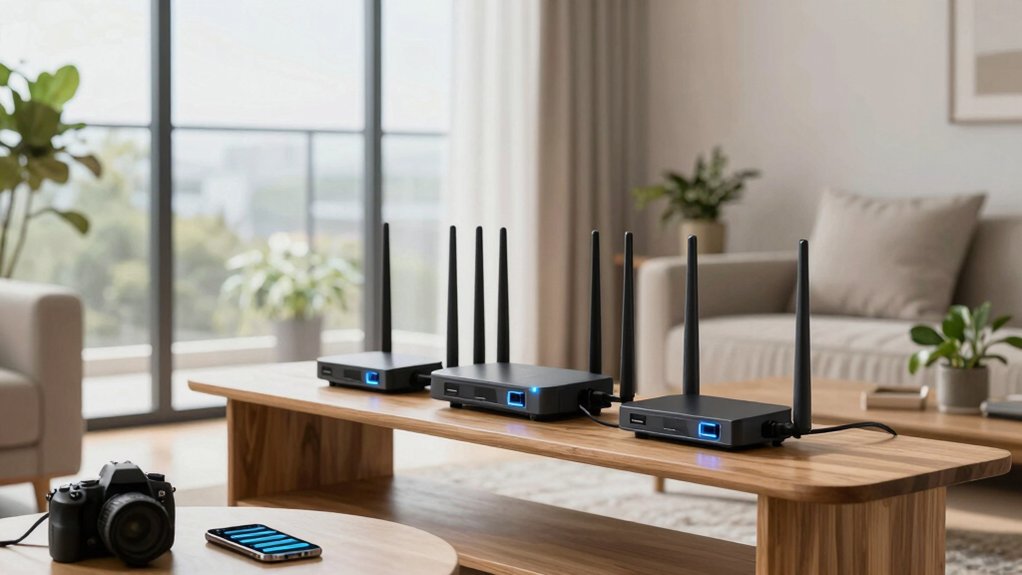
You need a router that delivers fast, reliable Wi-Fi in compact spaces, like the TP-Link Archer AX21. This router handles 4K streaming and video calls seamlessly in a 1,000 sq ft apartment with Wi-Fi 6 efficiency and strong wall penetration.
Models like the Amazon eero 6 and NETGEAR R6700AX offer solid coverage and high device capacity. Meanwhile, Wi-Fi 7 picks such as the TP-Link BE6500 future-proof your setup. You’ll find the best fit for your layout, speed needs, and smart devices just ahead.
| TP-Link AX1800 WiFi 6 Router (Archer AX21) |  | Best Wi-Fi 6 Value | WiFi Generation: Wi-Fi 6 | Total Bandwidth: AX1800 (1.8 Gbps) | Coverage Area: Not specified | VIEW LATEST PRICE | Read Our Analysis |
| TP-Link AC1200 WiFi Router (Archer A54) |  | Budget Dual-Band Pick | WiFi Generation: Wi-Fi 5 | Total Bandwidth: AC1200 (1.2 Gbps) | Coverage Area: Not specified | VIEW LATEST PRICE | Read Our Analysis |
| NETGEAR WiFi 6 Router (R6700AX) |  | Reliable Mid-Range Router | WiFi Generation: Wi-Fi 6 | Total Bandwidth: AX1800 (1.8 Gbps) | Coverage Area: Up to 1,500 sq. ft. | VIEW LATEST PRICE | Read Our Analysis |
| TP-Link AC1200 WiFi Router (Archer A6) |  | Best for EasyMesh Setup | WiFi Generation: Wi-Fi 5 | Total Bandwidth: AC1200 (1.2 Gbps) | Coverage Area: Long range coverage | VIEW LATEST PRICE | Read Our Analysis |
| Tenda AC1200 Smart WiFi Router (AC6) |  | Most Affordable AC1200 | WiFi Generation: Wi-Fi 5 | Total Bandwidth: AC1200 (1.2 Gbps) | Coverage Area: Not specified | VIEW LATEST PRICE | Read Our Analysis |
| TP-Link AC1900 Smart WiFi Router (Archer A8) |  | High-Speed Dual-Band Choice | WiFi Generation: Wi-Fi 5 | Total Bandwidth: AC1900 (1.9 Gbps) | Coverage Area: Not specified | VIEW LATEST PRICE | Read Our Analysis |
| TP-Link AX3000 Wi-Fi 6 Router |  | Premium Wi-Fi 6 Performance | WiFi Generation: Wi-Fi 6 | Total Bandwidth: AX3000 (3.0 Gbps) | Coverage Area: Not specified | VIEW LATEST PRICE | Read Our Analysis |
| Amazon eero 6 Mesh WiFi Router (1-Pack) |  | Best for Smart Homes | WiFi Generation: Wi-Fi 6 | Total Bandwidth: AX1800 (1.8 Gbps) | Coverage Area: Up to 1,500 sq. ft. | VIEW LATEST PRICE | Read Our Analysis |
| NETGEAR Nighthawk WiFi 7 Router (RS90) |  | Top-Tier Wi-Fi 7 Router | WiFi Generation: Wi-Fi 7 | Total Bandwidth: BE3600 (3.6 Gbps) | Coverage Area: Up to 2,000 sq. ft. | VIEW LATEST PRICE | Read Our Analysis |
| TP-Link Archer BE6500 Wi-Fi 7 Router |  | Ultimate Wi-Fi 7 Powerhouse | WiFi Generation: Wi-Fi 7 | Total Bandwidth: BE400 (6.4 Gbps) | Coverage Area: Up to 2,400 sq. ft. | VIEW LATEST PRICE | Read Our Analysis |
More Details on Our Top Picks
TP-Link AX1800 WiFi 6 Router (Archer AX21)
Looking for a reliable, future-proof router that handles multiple devices without breaking a sweat? The TP-Link AX1800 (Archer AX21) delivers with Wi-Fi 6 speed and up to 1.8 Gbps bandwidth. You’ll stream, game, and browse smoothly thanks to OFDMA and beamforming, which boost capacity and coverage.
Its four high-gain antennas keep every corner of your apartment connected. You get dual-band performance; it works with any ISP, and Alexa compatibility allows for easy control. It’s certified for humans and is backed by TP-Link’s 24/7 support and 2-year warranty.
Plus, built-in security aligns with CISA’s Secure-by-Design pledge. You’re covered now and ready for what’s next.
- WiFi Generation:Wi-Fi 6
- Total Bandwidth:AX1800 (1.8 Gbps)
- Coverage Area:Not specified
- LAN Ports:4x Gigabit
- Mesh Compatibility:EasyMesh
- Security Features:TP-Link Cybersecurity, 24/7 support
- Additional Feature:Works with Alexa
- Additional Feature:A Certified for Humans
- Additional Feature:Free expert support
TP-Link AC1200 WiFi Router (Archer A54)
Need a reliable, budget-friendly router that handles everyday streaming and browsing without breaking a sweat? The TP-Link AC1200 (Archer A54) delivers solid dual-band speeds: up to 867 Mbps on 5GHz and 300 Mbps on 2.4GHz. It features four external antennas for stable coverage in small to medium apartments. You’ll get four Fast Ethernet ports, EasyMesh compatibility for expanding your network, and handy features like guest Wi-Fi, parental controls, and WPA3 security.
It works with most ISPs and supports AP mode to turn wired connections wireless. Manage everything easily using the TP-Link Tether app. At under $50 and with an average 4.3-star rating, it’s a smart, no-frills pick that keeps your home connected without overspending.
- WiFi Generation:Wi-Fi 5
- Total Bandwidth:AC1200 (1.2 Gbps)
- Coverage Area:Not specified
- LAN Ports:4x Fast Ethernet
- Mesh Compatibility:EasyMesh
- Security Features:WPA3
- Additional Feature:EasyMesh compatible
- Additional Feature:WPA3 security
- Additional Feature:AP Mode support
NETGEAR WiFi 6 Router (R6700AX)
Who says apartment living means settling for spotty WiFi? You’re covered with the NETGEAR WiFi 6 Router (R6700AX). It delivers AX1800 speeds up to 1.8 Gbps, covering 1,500 sq. ft. and handling 20 devices effortlessly.
Streaming, gaming, and video calls all run smoothly thanks to its dual-core 880 MHz processor. You get four Gig Ethernet ports for wired connections and Wi-Fi 6 efficiency for consistent performance. It’s compatible with any ISP up to 1 Gbps; however, you’ll need a separate modem.
NETGEAR Armor boosts security, while the sleek black design fits anywhere. Setup’s easy through NETGEAR Genie. No fluff: just reliable, fast Wi-Fi where you need it.
- WiFi Generation:Wi-Fi 6
- Total Bandwidth:AX1800 (1.8 Gbps)
- Coverage Area:Up to 1,500 sq. ft.
- LAN Ports:4x Gigabit
- Mesh Compatibility:Not specified
- Security Features:NETGEAR Armor
- Additional Feature:NETGEAR Armor included
- Additional Feature:Dual-core 880 MHz processor
- Additional Feature:4-stream Wi-Fi 6
TP-Link AC1200 WiFi Router (Archer A6)
Want rock-solid Wi-Fi in your apartment without paying for overkill specs? Get the TP-Link AC1200 (Archer A6). You’ll enjoy fast dual-band speeds: up to 867 Mbps on 5GHz for gaming and HD streaming, 300 Mbps on 2.4GHz for everyday browsing.
Its four external antennas and beamforming boost coverage, cutting dead zones. With MU-MIMO on 5GHz, multiple devices stay smoothly connected. Set it up fast using the Tether app; then switch to Access Point Mode or pair with a OneMesh extender for seamless roaming.
It’s compact, works with your ISP’s modem, and supports WPA3 security. Thousands rate it 4.3/5: it delivers.
- WiFi Generation:Wi-Fi 5
- Total Bandwidth:AC1200 (1.2 Gbps)
- Coverage Area:Long range coverage
- LAN Ports:4x Gigabit
- Mesh Compatibility:OneMesh
- Security Features:WPA3
- Additional Feature:OneMesh compatibility
- Additional Feature:MU-MIMO supported
- Additional Feature:Beamforming with 4 antennas
Tenda AC1200 Smart WiFi Router (AC6)
The Tenda AC1200 Smart WiFi Router (AC6) is a solid pick for apartment dwellers who want reliable dual-band speeds without overspending. You get up to 1.2 Gbps total speed, with 867 Mbps on 5 GHz and 300 Mbps on 2.4 GHz, plus four 6 dBi antennas and Beamforming for strong coverage.
MU-MIMO on the 5 GHz band keeps multiple devices running smoothly. Setup takes minutes using the Tenda Wi-Fi app, where you can manage guest networks, parental controls, and monitor your connection. It’s got four Fast Ethernet ports, supports AP mode, and fits compact spaces.
With solid reviews and budget-friendly pricing, you’re covered for streaming, gaming, and browsing.
- WiFi Generation:Wi-Fi 5
- Total Bandwidth:AC1200 (1.2 Gbps)
- Coverage Area:Not specified
- LAN Ports:4x Fast Ethernet
- Mesh Compatibility:Not specified
- Security Features:Built-in parental controls
- Additional Feature:Tenda Wi-Fi APP control
- Additional Feature:Built-in parental controls
- Additional Feature:MU-MIMO on 5 GHz
TP-Link AC1900 Smart WiFi Router (Archer A8)
Looking for a reliable router that handles multiple devices without breaking a sweat? The TP-Link AC1900 (Archer A8) delivers with dual-band speeds up to 1300 Mbps on 5GHz and 600 Mbps on 2.4GHz. You’ll love MU-MIMO and three data streams keeping your streaming, gaming, and browsing smooth.
Beamforming boosts range, while Smart Connect optimizes your band automatically. With four Gigabit LAN ports and a Gigabit WAN port, wired connections stay fast and stable. It’s OneMesh-compatible, supports guest networks, and offers solid parental controls.
No USB or VPN support is included, but it works with all major ISPs. Compact, well-rated, and proven since 2020, it’s a smart pick for apartment living.
- WiFi Generation:Wi-Fi 5
- Total Bandwidth:AC1900 (1.9 Gbps)
- Coverage Area:Not specified
- LAN Ports:4x Gigabit
- Mesh Compatibility:OneMesh
- Security Features:Parental controls, guest network
- Additional Feature:Smart Connect optimization
- Additional Feature:OneMesh compatible
- Additional Feature:600 + 1300 Mbps bands
TP-Link AX3000 Wi-Fi 6 Router
Need a dependable router that handles multiple devices without breaking a sweat? The TP-Link AX3000 Wi-Fi 6 Router (Archer AX55) delivers fast, reliable speeds with up to 2402 Mbps on 5 GHz and 574 Mbps on 2.4 GHz. You’ll get smoother streaming and gaming thanks to OFDMA, MU-MIMO, and Beamforming. Four high-gain antennas boost coverage.
HomeShield offers strong security, parental controls, and IoT protection. It supports EasyMesh, so you can expand your network easily. You can even control it with Alexa or set up VPN connections. With USB 3.0, you can share files or printers fast.
It works with major ISPs and has excellent cooling for stable performance. You’re covered with a solid warranty and 4.4/5 rating from thousands of users.
- WiFi Generation:Wi-Fi 6
- Total Bandwidth:AX3000 (3.0 Gbps)
- Coverage Area:Not specified
- LAN Ports:Not specified
- Mesh Compatibility:EasyMesh
- Security Features:TP-Link HomeShield
- Additional Feature:USB 3.0 port
- Additional Feature:TP-Link HomeShield security
- Additional Feature:Target Wake Time
Amazon eero 6 Mesh WiFi Router (1-Pack)
Who said compact living means compromising on connectivity? The Amazon eero 6 Mesh WiFi Router (1-Pack) proves you can have fast, reliable Wi-Fi in small spaces. You’ll cover up to 1,500 sq. ft. and support speeds up to 900 Mbps: perfect for streaming and smart homes.
With Wi-Fi 6 and dual-band AX1800, it handles 75+ devices without breaking a sweat. You get two Gigabit Ethernet ports, WPA3 security, and built-in Zigbee/Thread for Alexa-compatible devices. Setup’s a breeze in minutes using the eero app.
It’s expandable, auto-updates, and includes a 30-day eero Plus trial. Compact, smart, and future-ready: you’re covered.
- WiFi Generation:Wi-Fi 6
- Total Bandwidth:AX1800 (1.8 Gbps)
- Coverage Area:Up to 1,500 sq. ft.
- LAN Ports:2x Gigabit (auto-sensing)
- Mesh Compatibility:eero Mesh (cross-compatible)
- Security Features:WPA3, TLS v1.2+, automatic updates
- Additional Feature:Built-in Zigbee/Thread radio
- Additional Feature:Works with Alexa
- Additional Feature:eero Plus trial included
NETGEAR Nighthawk WiFi 7 Router (RS90)
Why settle for spotty coverage when your apartment demands speed and reliability? You need the NETGEAR Nighthawk WiFi 7 Router (RS90). It delivers up to 3.6 Gbps—1.2x faster than WiFi 6—covering 2,000 sq. ft. and handling 50 devices effortlessly.
With a 2.5 Gig port, it maximizes your cable or fiber plan. You’ll enjoy smoother gaming, streaming, and video calls. Setup’s a breeze using the Nighthawk app, and NETGEAR Armor guards against hackers and malware. It includes free expert support and a 30-day Armor trial.
Compact and sleek, it fits anywhere and works with any U.S. ISP. Just add a modem.
- WiFi Generation:Wi-Fi 7
- Total Bandwidth:BE3600 (3.6 Gbps)
- Coverage Area:Up to 2,000 sq. ft.
- LAN Ports:Not specified
- Mesh Compatibility:Not specified
- Security Features:NETGEAR Armor
- Additional Feature:2.5 Gig internet port
- Additional Feature:WiFi 7 up to 3.6 Gbps
- Additional Feature:Free expert help included
TP-Link Archer BE6500 Wi-Fi 7 Router
What if you could future-proof your apartment’s internet without sacrificing speed or security? The TP-Link Archer BE6500 lets you do just that with Wi-Fi 7’s MLO, 4K-QAM, and Multi-RUs for blazing speeds up to 6,452 Mbps. Its quad-core CPU handles 4K streaming, AR/VR gaming, and 90 devices effortlessly.
Covering 2,400 sq ft with six high-gain antennas and Beamforming, it ensures strong, stable signals. Dual 2.5 Gbps ports and USB 3.0 boost connectivity, while HomeShield offers parental controls, IoT protection, and WPA3 security. You can expand coverage with EasyMesh, control it via voice or the Tether app, and enjoy automatic cloud updates—making your network smart, secure, and ready for tomorrow.
- WiFi Generation:Wi-Fi 7
- Total Bandwidth:BE400 (6.4 Gbps)
- Coverage Area:Up to 2,400 sq. ft.
- LAN Ports:4x (2x 2.5G, 3x 1G)
- Mesh Compatibility:EasyMesh
- Security Features:HomeShield, WPA3, private IoT network
- Additional Feature:Dual 2.5 Gbps ports
- Additional Feature:Multi-Link Operation (MLO)
- Additional Feature:Quad-core CPU
Factors to Consider When Choosing Wifi Routers for Apartments
You’ll want to match the router’s coverage to your apartment’s size, so everyone gets a solid signal. Make sure it can handle your speed needs, the number of devices you connect, and has solid security without making setup a hassle.
Getting these factors right means you’ll enjoy fast, reliable Wi-Fi without the headache.
Coverage Area
How far does your Wi-Fi really need to reach? In your apartment, every room should have solid signal, so you need a router that covers your space efficiently. If you’ve got thick walls or multiple rooms, go for a router with high-gain antennas and beamforming; it pushes signals right where you need them. Wi-Fi 6/6E routers handle coverage better in crowded areas, thanks to MU-MIMO and OFDMA.
And don’t just trust the specs; real performance depends on your layout and materials like concrete or metal that block signals. For larger or oddly shaped apartments, a mesh or EasyMesh system lets you add nodes to wipe out dead zones. Routers with higher wattage and external antennas boost indoor reach. Match the router’s coverage to your square footage and obstacles, not the advertised range. That’s how you stay connected everywhere.
Speed Requirements
Strong coverage means little without enough speed to power your daily routines. You need a router with at least 1200 Mbps total bandwidth, like 300 Mbps on 2.4 GHz and 867+ Mbps on 5 GHz, to handle streaming, gaming, and video calls across multiple devices.
If you’ve got fiber or a gigabit plan, look for 2.5 Gbps WAN/LAN ports or multi-gig support to fully use that speed. Wi-Fi 6 routers are ideal because they deliver faster real-world performance and better efficiency in crowded apartment buildings.
Features like MU-MIMO and OFDMA let you connect more devices without slowing down; this keeps your network responsive. Don’t overlook hardware: routers with multiple antennas and beamforming push strong, steady speeds into every room.
Choose smart, and you’ll enjoy smoother streaming, quicker downloads, and lag-free browsing, even during peak hours.
Device Capacity
Ever wonder why your Wi-Fi slows down when everyone’s online? That’s device capacity in action. You’re not just connecting one or two gadgets: you’re juggling phones, laptops, smart TVs, and more.
Wi-Fi 6 routers handle this better; they support 20 to 50+ devices with tech like MU-MIMO and OFDMA that serve multiple users at once. If you’ve got a bigger apartment or tons of tech, mesh or EasyMesh systems spread the load across nodes, boosting capacity and coverage.
But real-world performance depends on interference, bandwidth needs, and peak usage like gaming or 4K streaming. You’ll want a router with strong CPU and RAM to manage all those connections smoothly.
Don’t overlook features like QoS: it helps prioritize traffic so your video call doesn’t freeze when someone starts streaming. Pick wisely, and your network stays fast, even when everyone’s online.
Security Features
Why leave your apartment’s Wi-Fi exposed to hackers or outdated protocols? You need WPA3: it’s the current security standard and gives you stronger encryption, even on open networks or with older devices. Don’t skip routers with built-in security suites like HomeShield or NETGEAR Armor; they scan for threats, protect IoT devices, and offer parental controls.
Make sure your router supports VPN server or client modes so you can securely access your network remotely. If you’re expanding coverage, go for mesh systems with OneMesh or EasyMesh: they keep your whole network secure without adding weak spots.
And don’t forget: regular firmware updates are essential. Manufacturers push patches to fix vulnerabilities, so pick a router with a solid update history. Stay protected by choosing smart, future-ready security features from day one.
Ease of Setup
How much time do you really want to spend setting up your Wi-Fi? Skip the headache by choosing a router with a guided app or web wizard that walks you through setup in minutes. You’ll love models offering one-tap features like OneMesh or EasyMesh; they let you expand coverage without networking know-how.
Check that the manual gives clear, step-by-step instructions and that support is easy to reach via chat, phone, or in-app help. Pick a router that pushes automatic firmware updates so you stay secure without lifting a finger. Bonus points if you can set up a VPN or guest server right from the mobile app.
Don’t forget to verify modem compatibility. Some routers work seamlessly with your ISP, while others need a separate modem. Simplify from day one.
Future Proofing
You’ve got your router set up in minutes with intuitive apps and clear instructions, but don’t stop there: think ahead to how well it’ll handle what’s coming. You’ll want Wi-Fi 6 or 6E for higher speeds and better performance in crowded apartment networks. Look for multi-gigabit ports—2.5 Gbps or higher—so your router won’t bottleneck faster internet plans.
OFDMA and MU-MIMO let you stream, game, and work across multiple devices without lag. As your smart home grows, mesh support (like EasyMesh or OneMesh) ensures full coverage without dead zones. You need WPA3 security and regular firmware updates to stay protected against new threats. Cloud-based management keeps your system running smoothly over time.
Choosing a router with these features means you’re not just solving today’s problems; you’re staying ahead of tomorrow’s demands without upgrading again soon.
Frequently Asked Questions
Can I Use These Routers Outside the U.S.?
You can use them abroad, but check voltage and plug compatibility first. You might need adapters or converters.
Also, make sure the router supports local WiFi standards and frequencies where you’re traveling.
Do Any Support Parental Controls via Mobile App?
Yes, you can use several routers outside the U.S. They support parental controls via mobile app, so you can easily manage screen time, block content, and monitor usage from anywhere.
Just check voltage compatibility and regional WiFi regulations before plugging in abroad.
Are They Compatible With Smart Home Voice Assistants?
Yes, they work with smart home voice assistants. You can connect them to Alexa or Google Assistant and control your network hands-free.
Just set it up through the app. You’ll manage devices, pause Wi-Fi, or run tests using only your voice; no extra gadgets needed.
How Often Should I Update the Router Firmware?
You should update your router firmware every few months or as soon as updates are available. Manufacturers release patches for security and performance. Enabling auto-updates guarantees you’re protected and running smoothly without having to remember manual checks regularly.
Do They Work With Fiber Internet Connections?
Yes, they work with fiber internet connections. You’ll just connect the fiber modem to the router’s WAN port.
Most modern routers support fiber out of the box; so you won’t need extra gear unless your provider requires specific hardware. Setup’s usually quick and smooth.
Conclusion
You’ve got what it takes to pick the best Wi-Fi router for your apartment in 2026. Whether you’re upgrading to Wi-Fi 6 or jumping into Wi-Fi 7, you’ll find a solid match for your space and needs.
Keep speed, coverage, and device count in mind. With these top picks, you’re set to enjoy fast, stable, and reliable internet. No matter how crowded your building gets, you will have a great connection.